My 2023 Swift Student Challenge
2023-05-17
Ah, Swift Student Challenge, the once in a year competition from our
dearest Apple.
From the very first moment I have decided to make some educational apps
since I have seen an accepted submission which teaches the user about
asymmetric cryptography. In fact, I had several inspirations on my list:
- Combine AR technology to show a 4D object projected onto a 3D space.
- Introduce signal processing from why some people sing better than others.
- Introduce the Iterated Function System to show that Math can be fun and beautiful.
And at last I chose the third one since it's the most approachable one and
time is quite limited to me. It's also because I have made a small app
QIFS about this concept.
(However the code base is messy and unmaintained.)
IFS
In short, IFS is a set of functions
\(\lbrace f_i: X \mapsto X \mid i \in [1,n] \rbrace, n \subset \mathbb{N}\)
under a metric space \(X\). The image is get by repeating the following
process infinite times:
\[S \gets \bigcup_{i=1}^{n} \bigcup_{s \in S} f_i(s)\]
In most cases, we want to keep things simple, so we choose
\(X = \mathbb{R}^2\) and \(f_i, \forall i\) to be affine
transformations. The most famous example is the Sierpinski triangle, which
is generated by the following three functions:
\begin{align*}
& f_1(x,y) = (\frac{x}{2}, \frac{y}{2}) \\
& f_2(x,y) = (\frac{x}{2} + \frac{1}{2}, \frac{y}{2}) \\
& f_3(x,y) = (\frac{x}{2} + \frac{1}{4}, \frac{y}{2} + \frac{\sqrt{3}}{4})
\end{align*}
More examples can be found
here. Thanks to the
chaos game algorithm,
the IFS can be easily plotted by keep choosing a random function from the
set and apply it to the current point. The barebone of the app is thus
finished...
class IFSSystem {
    var position: CGPoint = CGPoint(x: 0.5, y: 0.5) // Some random point
    var transforms: [CGAffineTransform]

    init(_ t: [CGAffineTransform]) {
        transforms = t
    }

    func chaosGameStep() -> CGPoint {
        let selected = Int.random(in: 0..<transforms.count)
        position = position.applying(transforms[selected])
        return position
    }
}
... in actually 3 lines of code (Thanks to CoreGraphics or I'll have to
add 10 more lines). Now the only thing left is to make it interactive and
intuitive. The key part is to visualize the transforms \(f\). Since we
know it's an affine transformation, which can be decomposed into a linear
transformation and a translation. We can represent it using a
parallelogram where one point represents the translation and the other two
points represent the linear transformation. That is, for transformation:
\[f(x,y) = \begin{bmatrix} a & b \\ c & d \end{bmatrix} \begin{bmatrix} x \\ y \end{bmatrix} + \begin{bmatrix} e \\ f \end{bmatrix}\]
The four points are \(A(e,f)\), \(B(a+e,c+f)\), \(C(b+e,d+f)\) and
\(D(a+b+e,c+d+f)\). In fact, \(\overrightarrow{AB}\) and
\(\overrightarrow{AC}\) represents the two transformed \(\hat{i}\) and
\(\hat{j}\).
Having these in mind, we can now visualize the IFS system easily.
func iterate(_ transforms: [CGAffineTransform]) {
    var newTs: [CGAffineTransform] = []
    for t in transforms {
        for t2 in transforms {
            newTs.append(
                t2.concatenating(t)
            )
        }
    }
    return newTs
}
And the only thing left is to implement the UI now.
For the construction part I made the parallellogram draggable. Although
users can't control the coordinates precisely (which is not necessary),
they can still get a sense of how the transformation works.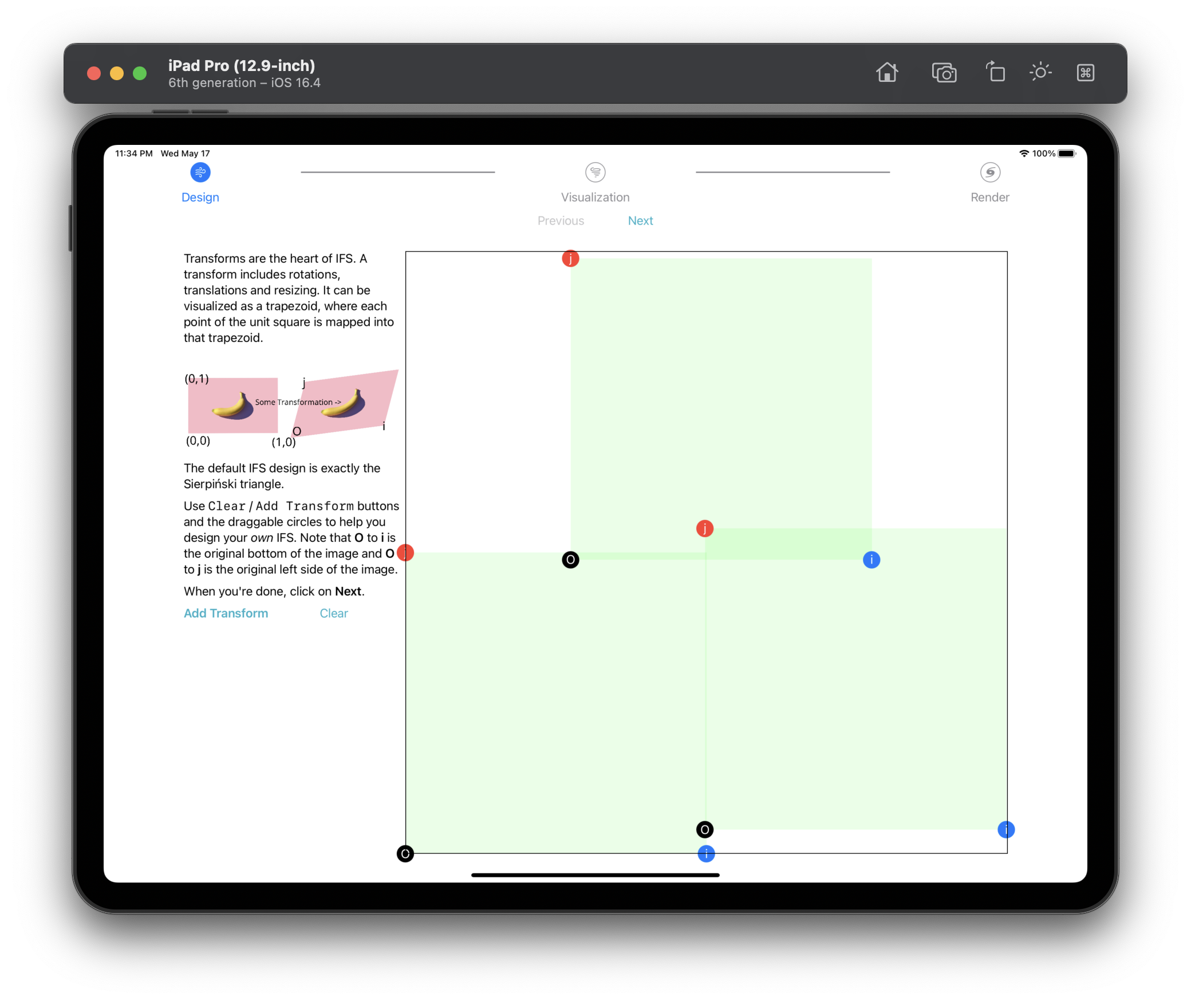 Construction
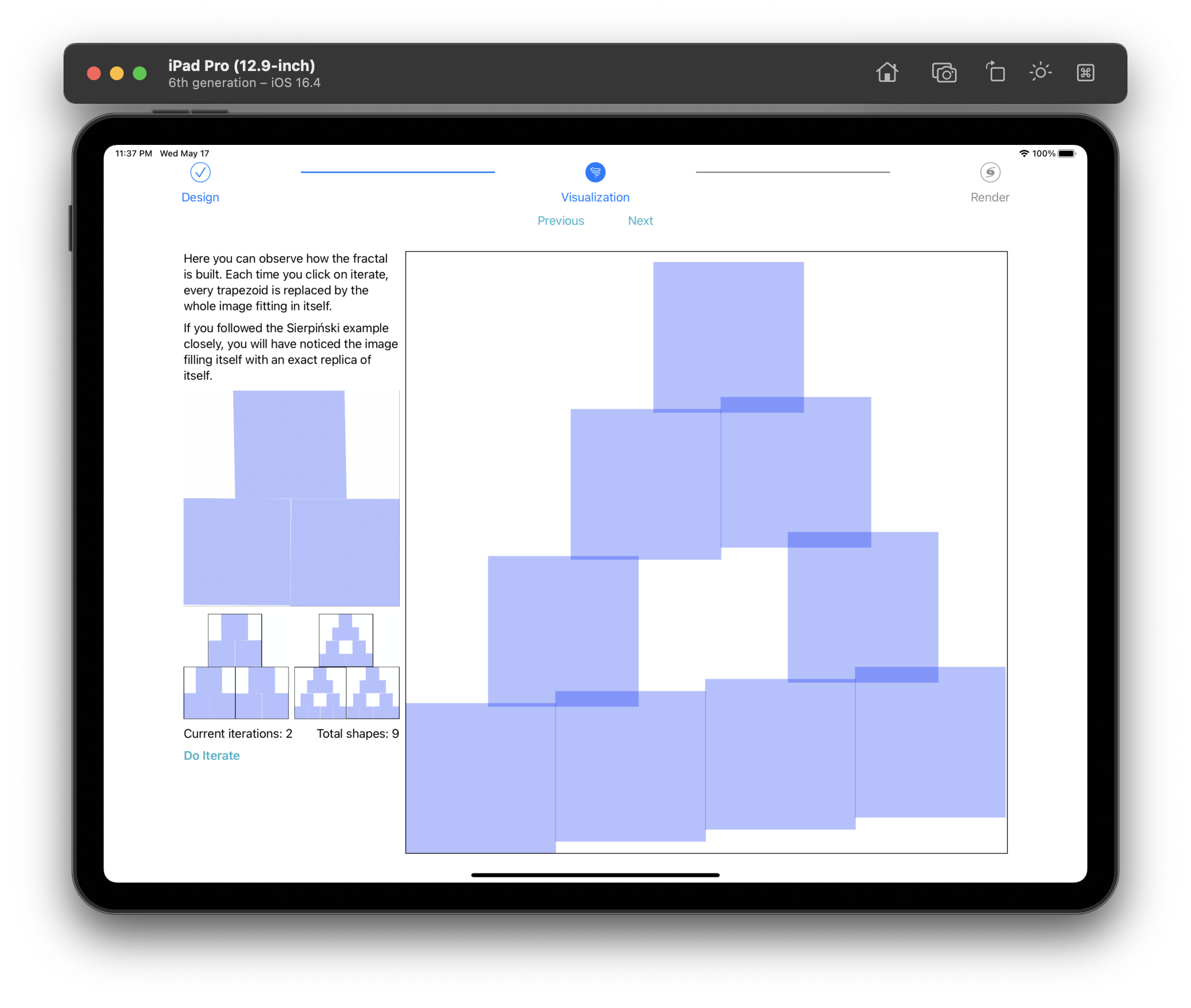
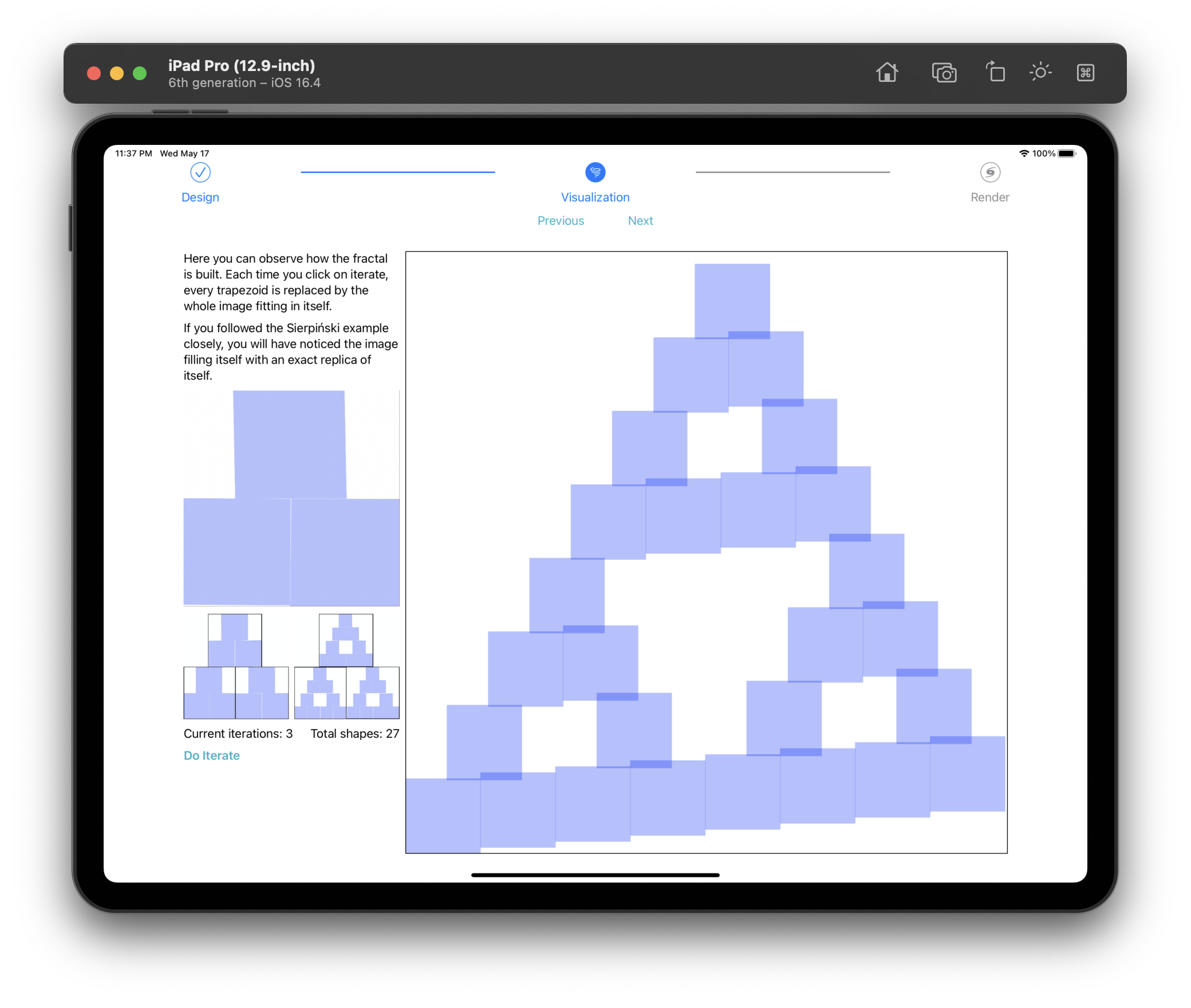
For the visualization part, I made an "Iterate" buttom which will call the
iterate function above and plot the new parallelograms.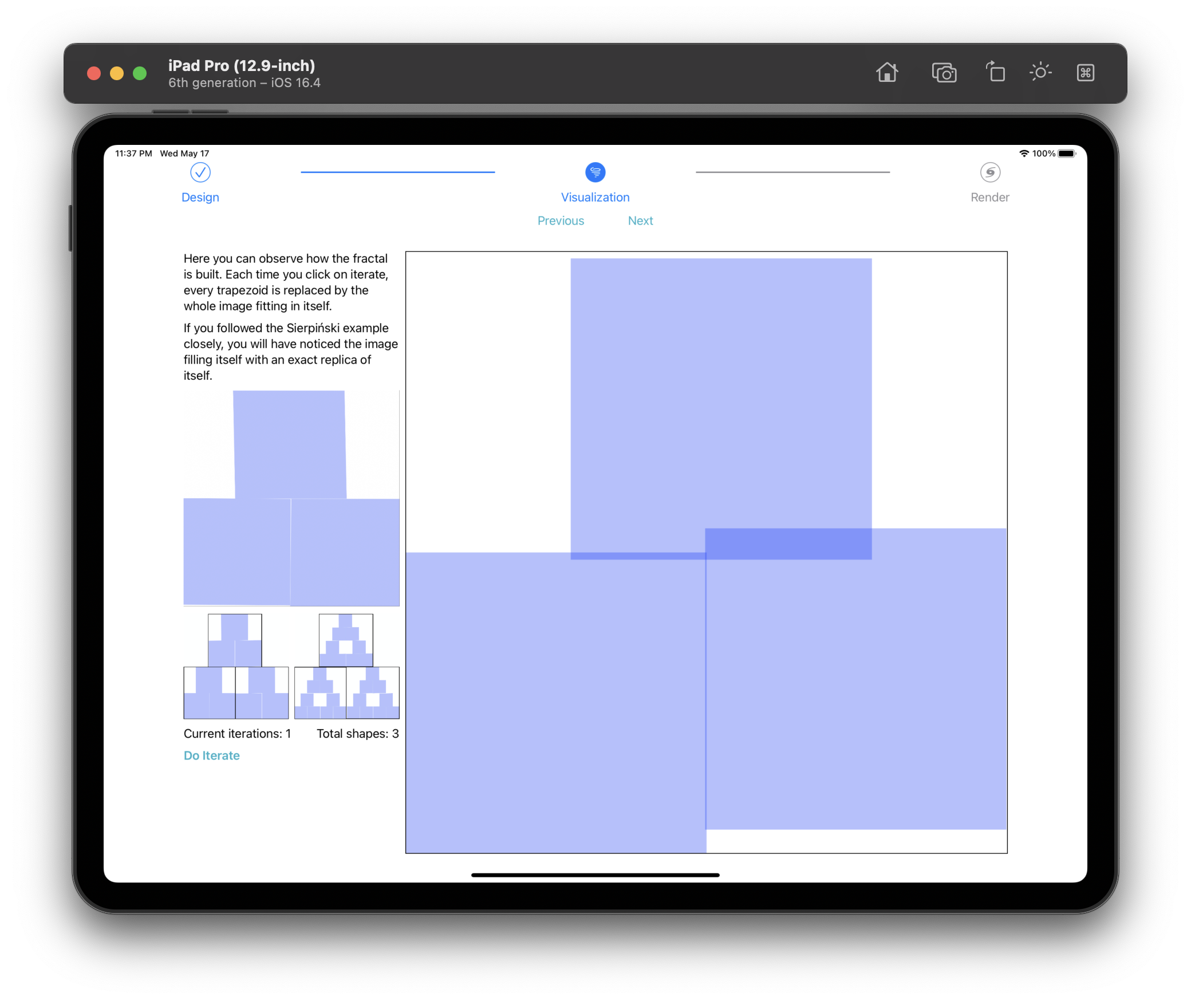 Visualization 0
 Visualization 1
 Visualization 2
And it can goes on and on until the device runs out of memory.
In the end for the rendering part, I utilized the chaosGameStep
function above and plot the points on the screen. To make the image look
better I added random colors to each transform function.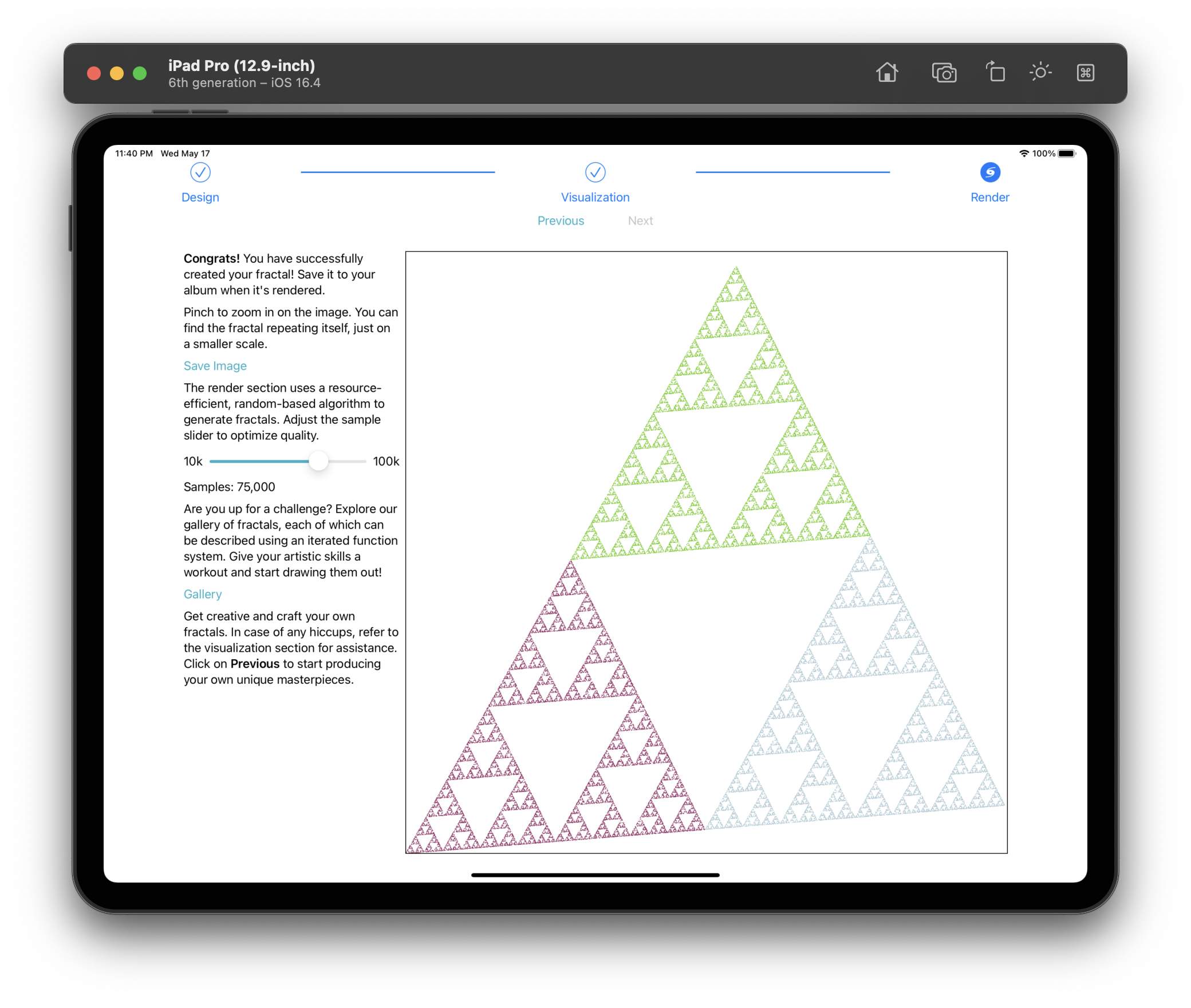 Render
The final image can also be zoomed in so that users can see the
self-similarity of the fractal.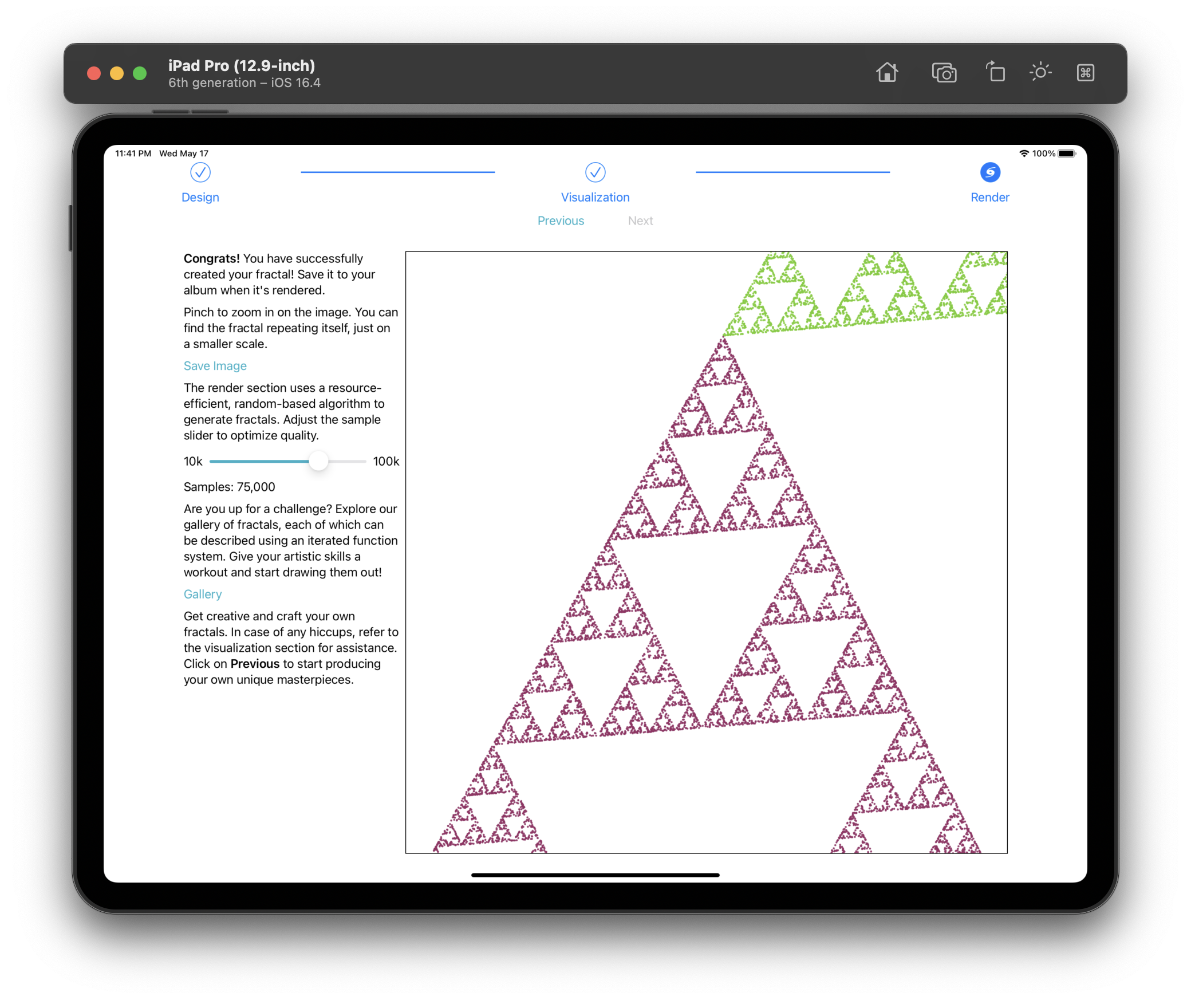 Zoom in
And that's it! The app is finished. You can find the source code
here.
Results
I submitted the app on the last day of the submission period. It was a bit
rushed but I think it's still acceptable. And I got the result on the 9th
of May. Unfortunately, I didn't get accepted. I think the main reason is
that the app is not very "useful". In the cryptography example,
asymmetrical cryptography is used in everyday life and is indeed quite
important. However, IFS is just a mathematical concept and is not very
useful in real life. Despite the result, I still think it's a good
experience and I have learned a lot from it. I will definitely try again
next year.